
Plain software, an assistant or an agent: how the pattern is chosen
Many steps in a firm follow fixed rules. The design starts there and adds AI where documents and free text carry the work.

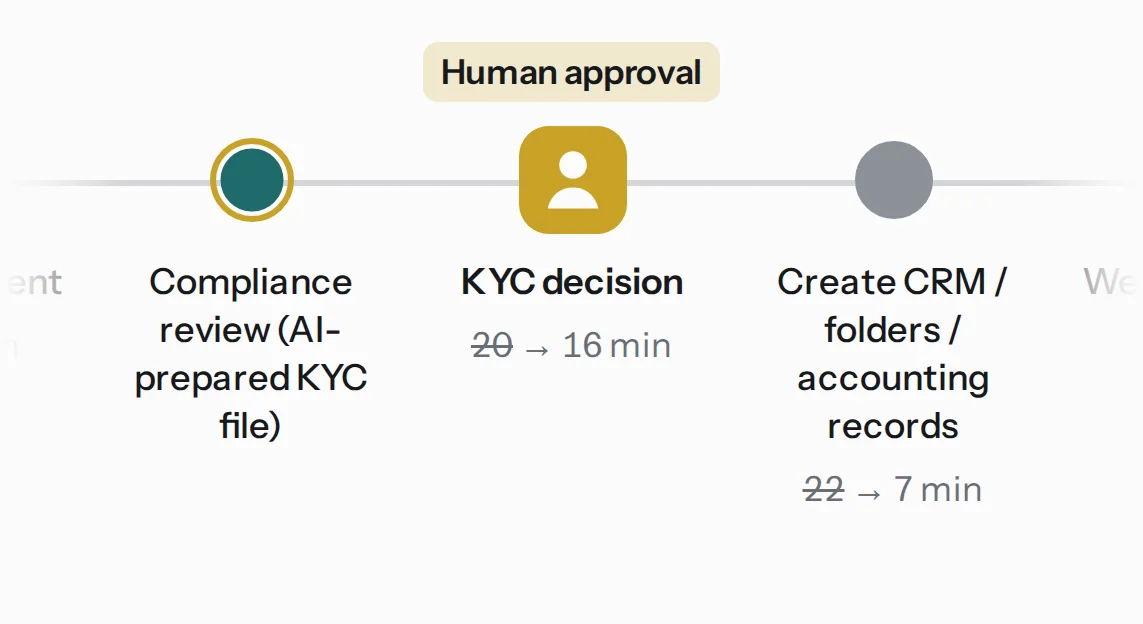
The pattern is chosen step by step. A step that follows fixed rules gets plain software, which runs faster, cheaper and more predictably than any model. A step that reads documents, sorts free text or drafts a message gets an AI assistant, or a bounded agent with approved tools. A regulated decision stays with a qualified person.
Workflow OS makes this choice explicit. For every process it designs, it picks one of six automation patterns and gives every AI component a level of human control. This article lists the rules it uses, straight from the design engine.
Six patterns
| Pattern | What it means |
|---|---|
| Traditional workflow automation | Deterministic workflow automation between existing systems. |
| AI assistant with human execution | An AI assistant prepares drafts and answers; people stay the actors. |
| Bounded AI agent | An agent runs routine steps with approved tools and templates; anything outside the templates waits for approval. |
| Multi-agent system | Specialized agents coordinate on separate tools under human supervision. |
| Human-in-the-loop AI support | AI prepares evidence and summaries; qualified people make every regulated decision. |
| Hybrid AI-assisted automation | Workflow automation for structured steps plus AI for documents and text, with people approving outputs before they leave the firm. |
The rules, in order
The engine first decides, step by step, which steps become automation, which become AI and which stay with a person. Then it reads the result and picks the pattern. The first rule that matches wins.
- Regulated work dominates. If half or more of the process’s minutes sit in regulated steps, the pattern is human-in-the-loop.
- Both kinds of work. If the design has both AI steps and deterministic automation steps, the pattern is hybrid.
- AI only. Two or more distinct agent roles and at least four AI steps make a multi-agent system. Agents carrying 40% or more of the AI-touched minutes make a bounded agent. Anything less is an assistant.
- No AI steps. The pattern is traditional workflow automation.
The order matters. Regulation is checked before anything else, so a process that spends half its time on regulated decisions can never come out as an agent, however much text it handles. And multi-agent needs real separation of roles and tools. One agent with several prompts stays one agent.
What each kind of step keeps
The design also estimates how much human time each step keeps after automation. These are the generator’s starting assumptions, written on the design so a person can change them per step. The pilot replaces them with measured minutes.
| Kind of step | Minutes kept |
|---|---|
| Structured: data entry, records, transfers, scheduling, notifications | 15% |
| Calculations | 20% |
| Document handling and classification | 25% |
| Communication (restricted data or a severe consequence: 40%) | 15% |
| Drafting | 35% |
| Analysis and search | 40% |
| Unregulated review or decision | 60% |
| Regulated step, with an AI-prepared case file | 75% |
Look at the bottom two rows. A regulated decision keeps three quarters of its time with a person. The AI prepares the file, and a qualified person still reads it and decides. Any projection that claims otherwise is selling the risk along with the savings.
Five levels of human control
Each AI component in a design gets one control level, from loosest to strictest. The examples come from the same client onboarding:
- Fully automated: the welcome email goes out on its own.
- Human review after execution: AI files incoming documents, and someone checks the folder later.
- Human approval before external action: the agent drafts a document request, and it leaves the firm only from an approved template.
- Human approval before every critical action: AI prepares the KYC file, and the compliance officer signs each one.
- Human only: the client’s risk rating.
Three defaults apply to every design the engine produces:
- Any AI component that sends messages outside the firm runs at level 3 in template-only mode. Messages built from approved templates go out; anything else waits for the process owner.
- Each AI component gets a confidence threshold, 0.9 in the Client Onboarding design. It measures the model’s self-reported confidence and is checked against a 50-case evaluation set before go-live. Output below the threshold is escalated to a person.
- Every design specifies AI models hosted in Canada for the client’s production system. (The demo’s own optional AI discovery uses a model outside Canada; see the Workflow OS page.)
The engine counts the approval gates in every design, and the design summary mentions human review only when that count is above zero.
How it played out on the demo firm
Across the 17 processes of the demo, the engine chose 12 hybrid designs, 4 assistants and 1 human-in-the-loop design.
- Client Onboarding is hybrid: software creates the records, two agents send document requests and follow-ups from approved templates, and the Compliance Officer approves each KYC file. 100 minutes per client become 40. The full case is in Client Onboarding, from process map to payback.
- Meeting Notes & Action Items is an assistant: AI drafts the notes and action items, and the organizer confirms before tasks and emails go out. 20 minutes per meeting become 7.
- KYC / Compliance Intake is human-in-the-loop. Four of its steps are regulated: identity documents, sanctions and PEP screening, the risk rating and escalation. The design has eight approval gates, and 78 minutes per file only fall to about 54.
Where the agents went
In the demo, most agents sit inside hybrid designs, like the two in Client Onboarding. Most processes there mix rule-based steps, such as records, transfers and notifications, with document and text work, and rule 2 makes that mix hybrid. Three of the four assistant designs carry one agent each, and its job is a hand-off: sending an approved client update, sending an approved proposal, or passing a question to a senior colleague.
What gets built
A large part of a hybrid design is ordinary software: a workflow engine, connectors to the CRM, the document store and the accounting system, an audit log and a permission model. That part is custom software development. The AI components sit inside it, each with its limits written down.
We apply the same principle in our own products. In AICRMIUS, the CRM we are building, an agent suggests a change, a person approves it, and one click undoes it. Every change goes to an audit trail.
For the wider method, from mapping to measured results, see AI transformation. For how the processes get ranked before any of this, read How Workflow OS decides which process to automate first. If you are building something specific, tell us about the product.
